Dashboard Tour
The dashboard lives at app.synaptyx.pro . This page is your map: what each sidebar section is for, and where features live. Many pages are organized as tabbed hubs, so several features share one screen.
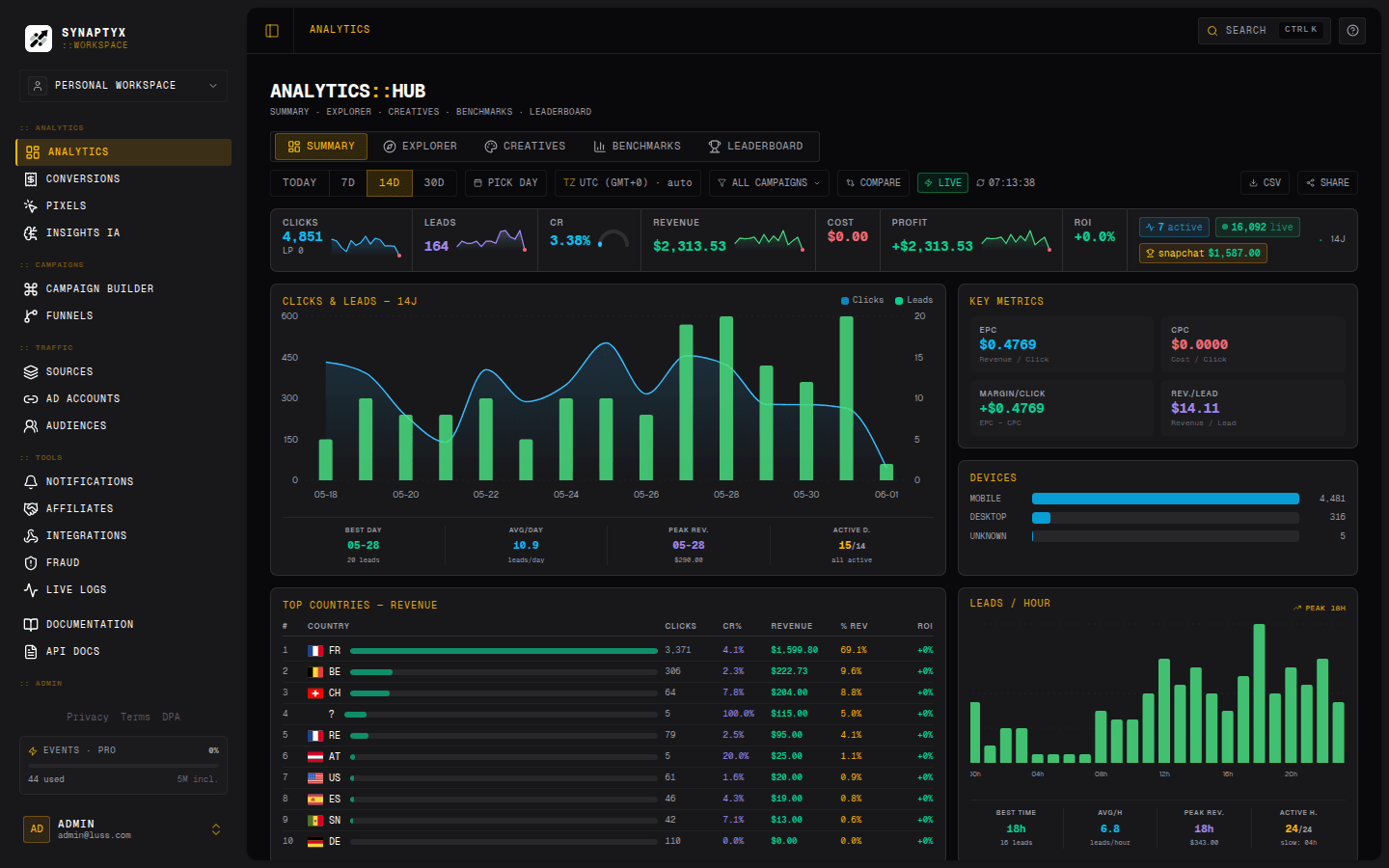
Navigation at a glance
The sidebar, section by section
| Section | Items | Covered in |
|---|---|---|
| Analytics | Overview · Analytics · Conversions · Pixels · Insights AI | Analytics, Insights |
| Campaigns | Campaign Builder · Funnels | Campaigns & Flows |
| Traffic | Sources · Ad Accounts · Audiences | Sources, Integrations |
| Tools | Notifications · Affiliates · Integrations · Fraud · Live Logs | Notifications, Live Logs, Affiliates, Fraud |
| Bottom | API Docs · Plans & Billing · Settings | API, Plans, Settings |
Tabbed hubs. Several menu items open the same page on different tabs. For example, Offers, Networks, Traffic Sources, Revenue Sources, Domains, and Monitoring all live under one Sources page; Alerts, Reports, and Webhooks all live under Notifications.
Key pages
Each links straight to the live app at app.synaptyx.pro.
Overview → open
Your home base: today’s KPIs, live campaign tiles, and clicks/conversions/revenue charts that auto-refresh every 30 seconds. Pick a date range and jump into a campaign.
Analytics → open
The primary reporting hub with five tabs — Summary, Explorer, Creatives, Benchmarks, Leaderboard. Filter by date and campaign, break down by country / device / landing, export CSV, screenshot to PNG, or share a read-only snapshot. Docs: Analytics & Conversions.
Live Logs → open
A real-time stream of clicks, postbacks, and pixel events with a full request inspector. Filter by type, sub-ID, or IP; click any row for the full detail. Docs: Live Logs.
Campaign Builder → open
The drag-and-drop visual builder.
Sources → open
The catalog of Offers, CPA Networks, Traffic Sources, Revenue Sources, Domains, and Monitoring. Docs: Sources, Offers & Domains.
Settings → open
Account, Security (2FA), API Keys, Telegram, Notifications, and Bot-filtering blocklists. Docs: Settings & API Keys.
Roles change what you see
The sidebar adapts to who you are:
| You are… | You also see… |
|---|---|
| Team owner / admin | A Team page to invite and scope members. |
| Platform admin | An Admin area (user management, failed-postback replay). |
| White-label operator | Super-Admin (manage tenants) and per-tenant Workspace branding/features. |
| A sub-affiliate | Not the main dashboard at all — the separate Partner Portal. |
There’s also a built-in Help index (/help) with plain-English
descriptions of every page, a command palette (⌘/Ctrl + K) to jump anywhere or
look up a click by ID, and a public System Status page.